Bring your questions. Bring your documents.
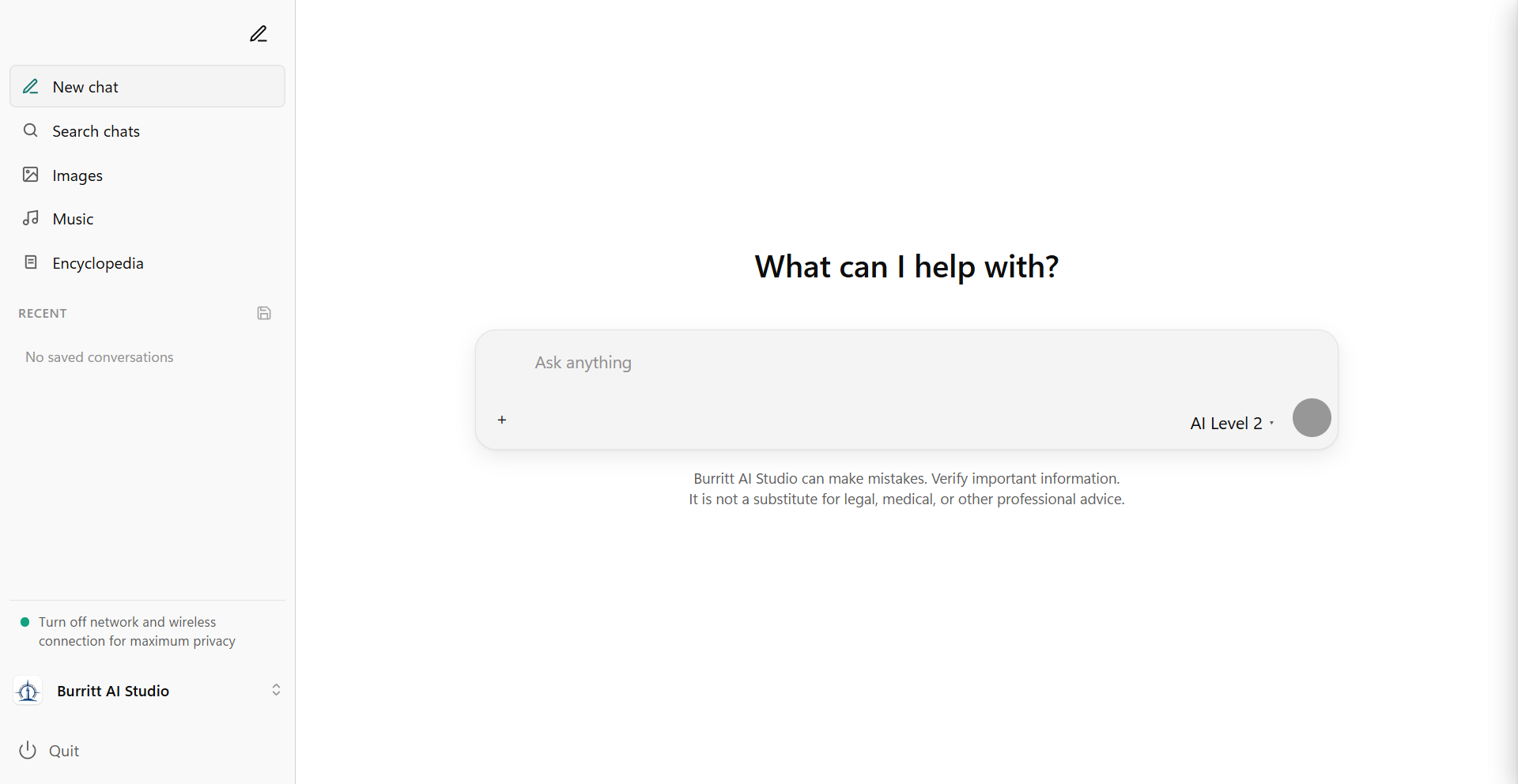
Have a private conversation with Burritt AI Studio. Ask a question, attach a document and follow up. Explore a plan, understand a difficult passage or draft something you want to keep to yourself.
Your files, read on your computer.
Attach a file, say what you want to know and press Send. Documents stay in the conversation for follow-up questions.
Office documents
Read Word documents, Excel workbooks and PowerPoint presentations. Ask for a summary, compare details or find the questions worth asking next.
PDFs and scanned pages
Use ordinary PDFs or scans. Studio reads text from scanned pages locally and shows its progress as it works.
Text, code and photos
Explore text files, RTF documents and code. Supported AI levels can also look at a photo, label, page or diagram.
Choose the level that suits the work.
The picker shows which levels fit your computer. Explore the seven AI levels.
Quick everyday help
Rewrite a paragraph, explain an idea or ask a straightforward question.
Careful thinking
Explore a more demanding question or work through a decision in detail.
The largest AI
Use a 125-billion-parameter AI for your most demanding questions. It takes longer, especially on smaller computers.
More room for documents and follow-ups.
Updated engines support longer documents, conversations and answers. Ask about an earlier passage, develop an outline into a report or keep refining an idea. Available document and conversation room depends on the chosen AI level and computer.
A little help getting started.
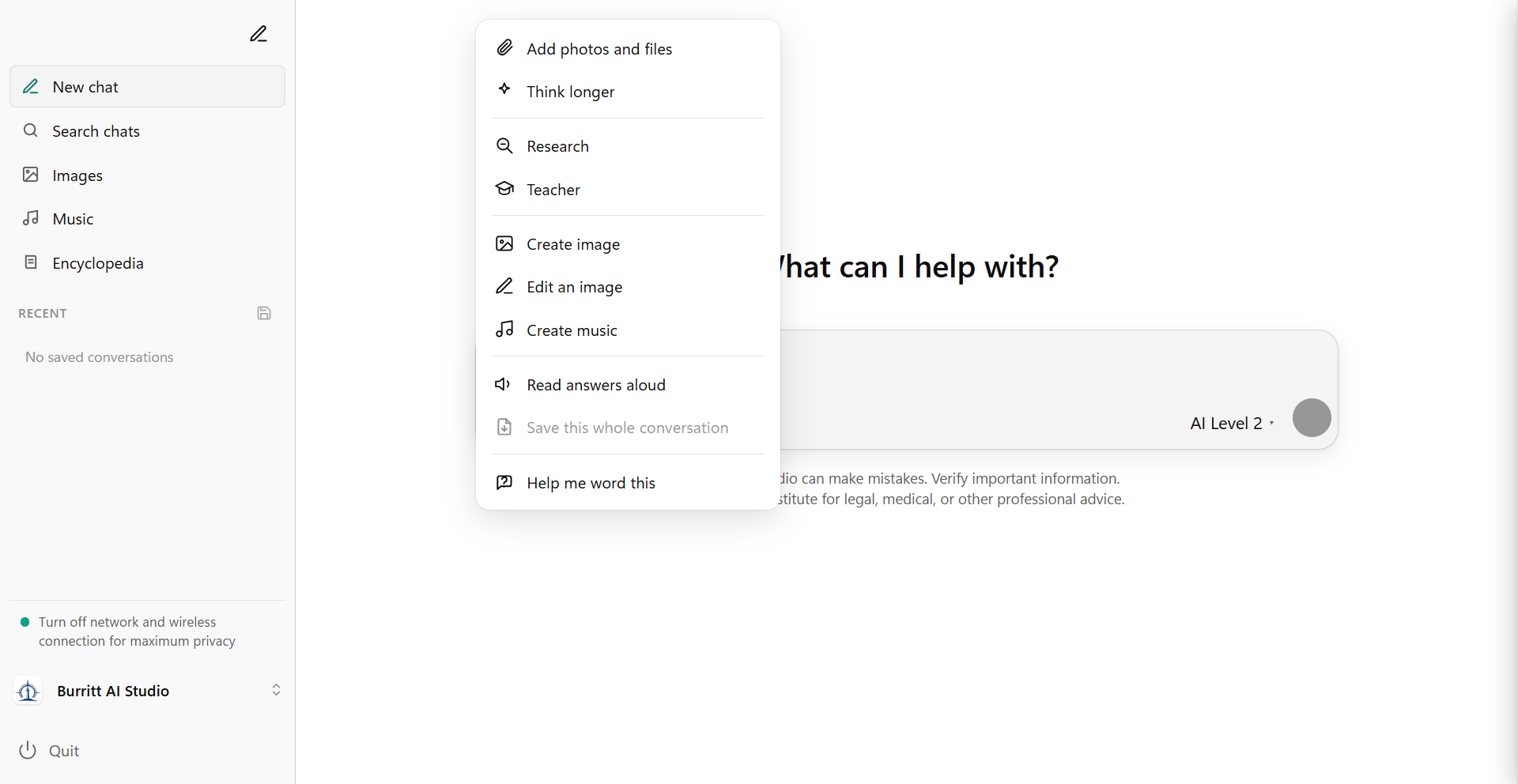
Help me word this
Describe roughly what you need. The AI asks a few questions and puts a clearer question in the box for you to review and send.
Think longer
Have the AI draft, check and improve its answer before showing the result. Use these helpers in a new chat with a supported AI level.
Save it, hear it, find it again.
Saved conversations
Save a chat, give it a title and reopen it later. Search the titles and contents of the conversations you keep.
Read aloud and save audio
Listen to an answer in a natural English voice, or save it as an audio file on the drive.
Save as a web page
Ask for a handout, report or self-contained interactive page. When the answer contains a complete web page, save it as HTML to open in a browser.
Ask about a recording you already have.
AI Levels 1 and 2 can also work with supported sound files. Attach a recording and ask about what it contains, with the processing kept on your computer.
Everything on this page runs with the internet off.
Launch price $59 for the first 100 customers, then $118.$118. Plus $11.00 shipping. 14-day money-back guarantee. Ships in 7 to 10 days.